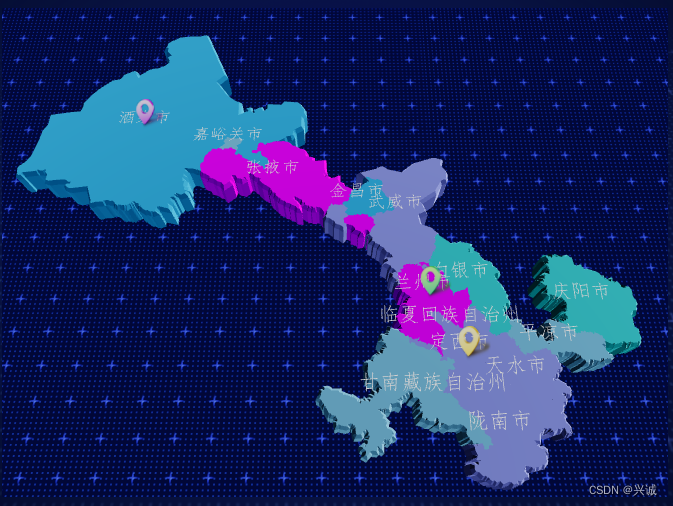
vue3实现three.js三维地图组件封装实现
一、关键概念
坐标转换:d3投影坐标转换将地图坐标转换为模型坐标,转换关键代码
const projection = d3.geoMercator().center(config.projection.center).scale(config.projection.scale).translate(config.projection.translate)
let [x, y] = projection([geometry.longitude, geometry.latitude])
三维对象:存储点精灵、线、面
材质:点线面材质
光照:环境光、点光、半球光
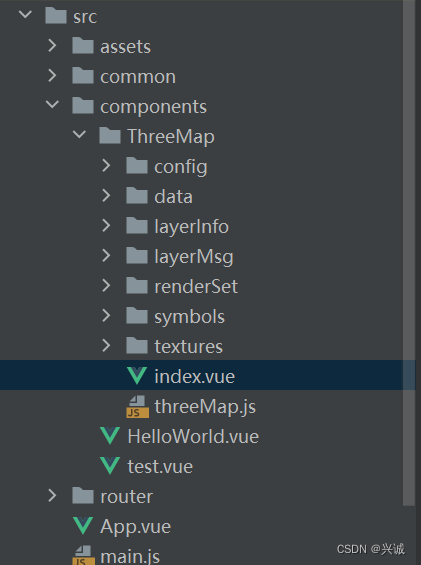
二、包结构设计
三、封装代码类实现
/**
 * Created by zdh on 2022/04/27
 * 功能说明:three创建地图
 */
import * as THREE from 'three'
import { FontLoader } from 'three/examples/jsm/loaders/FontLoader'
import * as d3 from 'd3'
import TWEEN from '@tweenjs/tween.js'
import { OrbitControls } from 'three/examples/jsm/controls/OrbitControls.js'
import { CSM } from 'three/examples/jsm/csm/CSM.js'
import { CSMHelper } from 'three/examples/jsm/csm/CSMHelper.js'
import { config } from './config/config'
import { LayersInfo } from './layerInfo/LayersInfo'
import { LayersRenderSet } from './renderSet/LayersRendset'
import { layerMsgClick } from './layerMsg/LayerMsgClick'
import { layerMsgMouseOver } from './layerMsg/LayerMsgMouseOver'
import { getMapData } from '../../common/api/map'
// 墨卡托投影转换
const projection = d3.geoMercator().center(config.projection.center).scale(config.projection.scale).translate(config.projection.translate)
let csmHelper
const params = {
  orthographic: config.csmParams.orthographic,
  fade: config.csmParams.fade,
  far: config.csmParams.far,
  mode: config.csmParams.mode,
  lightX: config.csmParams.lightX,
  lightY: config.csmParams.lightY,
  lightZ: config.csmParams.lightZ,
  margin: config.csmParams.margin,
  lightFar: config.csmParams.lightFar,
  lightNear: config.csmParams.lightNear,
  autoUpdateHelper: config.csmParams.autoUpdateHelper,
  updateHelper: function () {
    csmHelper.update()
  }
}

/**
 * 三维地图类
 * */
export default class threeMap {
  constructor (container, mapThreeScene, el, options) {
    this.container = container ? container : document.body
    this.width = this.container.offsetWidth
    this.height = this.container.offsetHeight
    this.LayersInfo = LayersInfo
    this.LayersSymbolRenderset = LayersRenderSet
    this.layerMsgClick = layerMsgClick
    this.layerMsgMouseOver = layerMsgMouseOver
    this.floatInfo = el
    this.mapThreeScene = mapThreeScene
    const {
      tagClick = () => {}
    } = options
    this.tagClick = tagClick
    this.sceneLayers = {}
  }

  init () {
    this.floatInfo = this.floatInfo || document.getElementById('floatInfo')

    this.selectedObject = null
    // 渲染器
    // this.renderer = new THREE.WebGLRenderer()
    if (!this.renderer) {
      this.renderer = new THREE.WebGLRenderer({ antialias: true, alpha: true })
    }
    this.renderer.shadowMap.enabled = false // 开启阴影
    this.renderer.shadowMap.type = THREE.PCFSoftShadowMap
    this.renderer.toneMapping = THREE.ACESFilmicToneMapping
    this.renderer.toneMappingExposure = 1.25
    // this.renderer.outputEncoding = THREE.LinearEncoding
    // this.renderer.outputEncoding = THREE.sHSVEncoding
    // this.renderer.setPixelRatio(window.devicePixelRatio)
    // 清除背景色,透明背景
    this.renderer.setClearColor(config.clearColor.color, config.clearColor.opacity)

    this.renderer.setSize(this.width, this.height)
    this.container.appendChild(this.renderer.domElement)
    // 场景
    this.scene = new THREE.Scene()

    this.mapThreeScene.background = null
    this.mapThreeScene.background = new THREE.CubeTextureLoader().setPath('/static/textures/cube/').load(['px.png', 'nx.png', 'py.png', 'ny.png', 'pz.png', 'nz.png'])
    // probe
    this.lightProbe = new THREE.LightProbe()
    // this.mapThreeScene.add(bulbLight)
    this.mapThreeScene.add(this.lightProbe)
    // 相机 透视相机
    this.camera = new THREE.PerspectiveCamera(45, this.width / this.height, 0.1, 5000)
    this.camera.position.set(0, -150, 120)
    this.camera.lookAt(0, -50, 0)
    const ambientLight = new THREE.AmbientLight(0xffffff, 0.5)
    this.mapThreeScene.add(ambientLight)
    this.csm = new CSM({
      maxFar: params.far,
      cascades: 4,
      mode: params.mode,
      parent: this.mapThreeScene,
      shadowMapSize: 1024,
      lightDirection: new THREE.Vector3(params.lightX, params.lightY, params.lightZ).normalize(),
      camera: this.camera
    })
    this.csmHelper = new CSMHelper(this.csm)
    this.csmHelper.visible = true
    this.mapThreeScene.add(this.csmHelper)
    this.setController() // 设置控制
    this.setLight() // 设置灯光
    this.setRaycaster()
    this.setPlayGround()
    this.animate()
    this.loadFont() // 加载字体
    this.setResize() // 绑定浏览器缩放事件
  }

  loadFont () {
    var loader = new FontLoader()
    var _this = this
    loader.load('/static/data/fonts/FangSong_Regular.json', function (response) {
      _this.font = response
      _this.loadMapData()
    })
  }

  getLayerByCode (layerCode) {
    for (let i = 0, len = LayersInfo.length; i < len; i++) {
      if (LayersInfo[i].layerCode === layerCode) {
        return LayersInfo[i]
      }
    }
  }

  setResize () {
    window.addEventListener('resize', this.resizeEventHandle.bind(this))
  }

  resizeEventHandle () {
    this.width = this.container.offsetWidth
    this.height = this.container.offsetHeight
    this.renderer.setSize(this.width, this.height)
  }

  loadMapData () {
    for (var i = 0; i < this.LayersInfo.length; i++) {
      if (this.LayersInfo[i].serviceType == 'GraphicsLayer') {
        this.CreateGraphicsLayer(this.LayersInfo[i])
      }
      if (this.LayersInfo[i].serviceType == 'GeoJSONLayer') {
        this.CreateGeoJSONLayer(this.LayersInfo[i])
      }
    }
  }

  createText (text, position) {
    let shapes = this.font.generateShapes(text, 1)
    let geometry = new THREE.ShapeBufferGeometry(shapes)
    let material = new THREE.MeshBasicMaterial()
    let textMesh = new THREE.Mesh(geometry, material)
    textMesh.rotation.x = 90
    textMesh.position.set(position.x, position.y, position.z)
    this.mapThreeScene.add(textMesh)
  }

  GetLayerInfoByCode (layerCode) {
    for (var i = 0; i < this.LayersInfo.length; i++) {
      if (this.LayersInfo[i].layerCode == layerCode) {
        return this.LayersInfo[i]
      }
    }
  }
  getLyaerRenderSymbol (layerId, dataItem) {
    if (this.LayersSymbolRenderset[layerId].renderType == "single") {
      return this.LayersSymbolRenderset[layerId].symbol
    }
    if (this.LayersSymbolRenderset[layerId].renderType == "unique") {
      for (var i = 0; i < this.LayersSymbolRenderset[layerId].FieldUnique.length; i++) {
        if (dataItem[this.LayersSymbolRenderset[layerId].renderField] == this.LayersSymbolRenderset[layerId].FieldUnique[i].value) {
          return this.LayersSymbolRenderset[layerId].FieldUnique[i].symbol
        }
      }
    }
    if (this.LayersSymbolRenderset[layerId].renderType == "level") {
      for (var i = 0; i < this.LayersSymbolRenderset[layerId].FieldScope.length; i++) {
        if (dataItem[this.LayersSymbolRenderset[layerId].renderField] >= this.LayersSymbolRenderset[layerId].FieldScope[i].min && dataItem[this.LayersSymbolRenderset[layerId].renderField] <= this.LayersSymbolRenderset[layerId].FieldScope[i].max) {
          return this.LayersSymbolRenderset[layerId].FieldScope[i].symbol
        }
      }
    }
  }

  CreateGraphicsLayer (layerinfo) {
    layerinfo.layer = new THREE.Object3D()
    this.mapThreeScene.add(layerinfo.layer)
    if (layerinfo.url != undefined && layerinfo.url != "") {
      getMapData(layerinfo.url).then((res) => {
        if (layerinfo.dataPath != undefined && layerinfo.dataPath != "") {
          let dp = layerinfo.dataPath.split('/')
          for (let i = 0; i < dp.length; i++) {
            res = res[dp[i]]
          }
        }
        if (layerinfo.geoType === 'point') {
          this.CreatePointGraphicsByData(res, layerinfo.layerCode, layerinfo.dataLongitudeField, layerinfo.dataLatitudeField)
        }
      })
    }
  }

  CreatePointGraphicsByData = function (data, layerId, lgtdField, lttdField) {
    this.getLayerByCode(layerId).layer.clear()
    let lngReg = /^(((\d|[1-9]\d|1[1-7]\d|0)\.\d{0,12})|(\d|[1-9]\d|1[1-7]\d|0{1,3})|180\.0{0,4}|180)$/
    let latReg = /^([0-8]?\d{1}\.\d{0,12}|90\.0{0,4}|[0-8]?\d{1}|90)$/
    for (var i = 0; i < data.length; i++) {
      if (lngReg.test(data[i][lgtdField]) && latReg.test(data[i][lttdField])) {
        this.CreateGraphicForLayer(layerId, {
          type: 'point',
          longitude: data[i][lgtdField],
          latitude: data[i][lttdField]
        }, this.getLyaerRenderSymbol(layerId, data[i]), data[i])
      }
    }
  }

  CreateGraphicForLayer (layerId, geometry, symbol, attributes) {
    let _this = this
    // 绘制点位
    function paintTag (scale = 0.00001) {
      let spriteMap = new THREE.TextureLoader().load(symbol.url)
      // spriteMap.width = '10px'
      debugger
      // 必须是不同的材质,否则鼠标移入时,修改材质会全部都修改
      let spriteMaterial = new THREE.SpriteMaterial({ map: spriteMap, color: 0xffffff, sizeAttenuation: true })
      // const { value } = d
      // 添加标点
      const sprite1 = new THREE.Sprite(spriteMaterial)
      let [x, y] = projection([geometry.longitude, geometry.latitude])
      sprite1.position.set(x, -y + 2, 6)
      // this.createText('测试111', sprite1.position)
      sprite1._data = attributes
      // sprite1.scale.set(2 * scale, 3 * scale, 8 * scale)
      _this.getLayerByCode(layerId).layer.add(sprite1)
      spriteMap.dispose()
    }

    function setScale (scale = 0.001) {
      _this.getLayerByCode(layerId).layer.children.forEach(s => {
        s.scale.set(2 * scale, 3 * scale, 8 * scale)
      })
    }
    paintTag.call(this, 0.00000001)
    let tween = new TWEEN.Tween({ val: 0.1 }).to(
      {
        val: 1.2
      },
      1.5 * 1000
    ).easing(TWEEN.Easing.Quadratic.InOut).onUpdate((d) => {
      setScale.call(this, d.val)
    })
    tween.start()
    if (this.raycaster) {
      this.raycaster.setFromCamera(this.mouse, this.camera)
    }
    this.renderer.render(this.mapThreeScene, this.camera)
    // console.log('render info', this.renderer.info)
    // TWEEN.update()
  }

  CreateGeoJSONLayer (layerinfo) {
    let _this = this
    if (layerinfo.url != undefined && layerinfo.url != "") {
      getMapData(layerinfo.url).then((res) => {
        if (layerinfo.dataPath != undefined && layerinfo.dataPath != "") {
          let dp = layerinfo.dataPath.split('/')
          for (let i = 0; i < dp.length; i++) {
            res = res[dp[i]]
          }
        }
        // 建一个空对象存放对象
        let layer = new THREE.Object3D()
        layerinfo.layer = layer
        this.mapThreeScene.add(layer)
        res.features.forEach((elem, index) => {
          // 定一个3D对象
          let geoObj = new THREE.Object3D()
          // 每个的 坐标 数组
          let coordinates = elem.geometry.coordinates
          let symbol = _this.getLyaerRenderSymbol(layerinfo.layerCode, elem.properties)
          if (elem.geometry.type == 'MultiPolygon') {
            coordinates.forEach(multiPolygon => {
              multiPolygon.forEach((polygon) => {
                const shape = new THREE.Shape()
                for (let i = 0; i < polygon.length; i++) {
                  let [x, y] = projection(polygon[i])
                  if (i === 0) {
                    shape.moveTo(x, -y)
                  }
                  shape.lineTo(x, -y)
                }
                const geometry = new THREE.ExtrudeGeometry(shape, layerinfo.extrudeSettings)
                const material = new THREE.MeshStandardMaterial(symbol[0])
                const material1 = new THREE.MeshStandardMaterial(symbol[1])
                const mesh = new THREE.Mesh(geometry, [
                  material,
                  material1
                ])
                if (index % 2 === 0 && layerinfo.isDiffrentHight) {
                  mesh.scale.set(1, 1, 1.2)
                }
                mesh.castShadow = true
                mesh.receiveShadow = true
                mesh._color = symbol[2].color
                geoObj.add(mesh)
              })
            })
          }
          if (elem.geometry.type == 'Polygon') {
            coordinates.forEach((polygon) => {
              const shape = new THREE.Shape()
              for (let i = 0; i < polygon.length; i++) {
                let [x, y] = projection(polygon[i])
                if (i === 0) {
                  shape.moveTo(x, -y)
                }
                shape.lineTo(x, -y)
              }
              const geometry = new THREE.ExtrudeGeometry(shape, layerinfo.extrudeSettings)
              const material = new THREE.MeshStandardMaterial(symbol[0])
              const material1 = new THREE.MeshStandardMaterial(symbol[1])
              const mesh = new THREE.Mesh(geometry, [
                material,
                material1
              ])
              if (index % 2 === 0 && layerinfo.isDiffrentHight) {
                mesh.scale.set(1, 1, 1.2)
              }
              mesh.castShadow = true
              mesh.receiveShadow = true
              mesh._color = symbol[2].color
              geoObj.add(mesh)
            })
          }
          if (elem.geometry.type == 'LineString') {
            const points = []
            for (let i = 0; i < coordinates.length; i++) {
              let [x, y] = projection(coordinates[i])
              points.push(new THREE.Vector3(x, -y, 4.2))
            }
            const geometry = new THREE.BufferGeometry().setFromPoints(points)
            const material = new THREE.LineBasicMaterial({ color: symbol.color })
            const lineL = new THREE.Line(geometry, material)
            geoObj.add(lineL)
          }
          if (elem.geometry.type == 'MultiLineString') {
            coordinates.forEach((line) => {
              const points = []
              for (let i = 0; i < line.length; i++) {
                let [x, y] = projection(line[i])
                points.push(new THREE.Vector3(x, -y, 4.2))
              }
              const geometry = new THREE.BufferGeometry().setFromPoints(points)
              const material = new THREE.LineBasicMaterial({ color: symbol.color })
              const lineL = new THREE.Line(geometry, material)
              geoObj.add(lineL)
            })
          }
          if (elem.geometry.type == 'Point') {
            _this.CreateGraphicForLayer(layerinfo.layerCode, {
              type: 'point',
              longitude: coordinates[0],
              latitude: coordinates[1]
            }, _this.getLyaerRenderSymbol(layerinfo.layerCode, elem.properties, elem.properties))
          }
          // 将geo的属性放到模型中
          if (elem.geometry.type != 'Point') {
            geoObj.properties = elem.properties
            layer.add(geoObj)
          }
        })
      })
    }
  }

  setRaycaster () {
    this.raycaster = new THREE.Raycaster()
    this.mouse = new THREE.Vector2()
    this.eventOffset = {}
    let _this = this
    function onMouseMove (event) {
      // 父级并非满屏,所以需要减去父级的left 和 top
      let { top, left, width, height } = _this.container.getBoundingClientRect()
      let clientX = event.clientX - left
      let clientY = event.clientY - top
      _this.mouse.x = (clientX / width) * 2 - 1
      _this.mouse.y = -(clientY / height) * 2 + 1
      _this.eventOffset.x = clientX
      _this.eventOffset.y = clientY
      _this.floatInfo.style.left = _this.eventOffset.x + 10 + 'px'
      _this.floatInfo.style.top = _this.eventOffset.y - 20 + 'px'
    }
    // 标注
    function onPointerMove () {
      if (_this.selectedObject) {
        _this.selectedObject.material.color.set(0xffffff)
        _this.selectedObject = null
      }
      if (_this.raycaster) {
        for (var i = _this.LayersInfo.length - 1; i > 0; i--) {
          const intersects = _this.raycaster.intersectObject(_this.getLayerByCode(_this.LayersInfo[i].layerCode).layer, true)
          // console.log('select group', intersects)
          if (intersects.length > 0) {
            const res = intersects.filter(function (res) {
              return res && res.object
            })[intersects.length - 1]
            if (res && res.object) {
              _this.selectedObject = res.object
              _this.selectedObject.material.color.set('#00FF00')
            }
            break
          }
        }
      }
    }
    // 标注点击
    function onClick () {
      if (_this.selectedObject) {
        // 输出标注信息
        console.log(_this.selectedObject._data)
        debugger
        _this.tagClick(_this.selectedObject._data)
      }
    }
    function MapClick (re) {
      var LayerId = re[0].graphic.layer.id
      if (layerMsgClick[LayerId] !== undefined) {
        for (var i = 0; i < layerMsgClick[LayerId].length; i++) {
          var mcmd = layerMsgClick[LayerId][i].method + '('
          for (var j = 0; j < layerMsgClick[LayerId][i].params.length; j++) {
            mcmd += layerMsgClick[LayerId][i].params[j]
            if (j < layerMsgClick[LayerId][i].params.length - 1) {
              mcmd += ','
            }
          }
          mcmd += ')'
          eval(mcmd)
        }
      }
    }
    function MapMouseoverEvent(re) {
      var LayerId = re[0].graphic.layer.id
      if (layerMsgMouseOver[LayerId] !== undefined) {
        for (var i = 0; i < layerMsgMouseOver[LayerId].length; i++) {
          var mcmd = layerMsgMouseOver[LayerId][i].method + '('
          for (var j = 0; j < layerMsgMouseOver[LayerId][i].params.length; j++) {
            mcmd += layerMsgMouseOver[LayerId][i].params[j]
            if (j < layerMsgMouseOver[LayerId][i].params.length - 1) {
              mcmd += ','
            }
          }
          mcmd += ')'
          eval(mcmd)
        }
      }
    }
    window.addEventListener('mousemove', onMouseMove, false)
    document.addEventListener('pointermove', onPointerMove)
    document.addEventListener('click', onClick)
  }
  // // 绘制地面如果对您有帮助技术合作交流qq:2401315930
  setPlayGround () {
    // const groundMaterial = new THREE.MeshStandardMaterial({
    //   color: 0x0000FF,
    //   // specular: 0x111111,
    //   metalness: 0,
    //   roughness: 1,
    //   // opacity: 0.2,
    //   opacity: 0.5,
    //   transparent: false
    // })
    const loader = new THREE.TextureLoader()
    const groundTexture = loader.load('static/data/textures/bg2.png')
    groundTexture.wrapS = groundTexture.wrapT = THREE.RepeatWrapping
    groundTexture.repeat.set(30, 30)
    groundTexture.anisotropy = 16
    groundTexture.encoding = THREE.sRGBEncoding

    const groundMaterial = new THREE.MeshLambertMaterial({ map: groundTexture })

    let mesh = new THREE.Mesh(new THREE.PlaneGeometry(2000, 2000), groundMaterial)
    // mesh.position.y = - 250;
    // mesh.rotation.x = - Math.PI / 2;
    mesh.receiveShadow = false
    this.mapThreeScene.add(mesh)
    // const helper = new THREE.GridHelper(2000, 80, 0x0000ff, 0x0000ff)
    // helper.rotation.x = - Math.PI / 2
    // this.mapThreeScene.add(helper)
    // const ground = new THREE.Mesh( new THREE.PlaneGeometry(2000, 2000, 100, 100), groundMaterial)
    // // ground.rotation.x = - Math.PI / 2
    // ground.position.z = 0
    // // ground.castShadow = true
    // ground.receiveShadow = true
    // // this.mapThreeScene.add(ground)

  }
  //设置光
  setLight () {
    let ambientLight = new THREE.AmbientLight(0xffffff, 0.2) // 环境光
    const light = new THREE.DirectionalLight(0xffffff, 0.5) // 平行光
    light.position.set(20, -50, 20)
    light.castShadow = true
    light.shadow.mapSize.width = 1024
    light.shadow.mapSize.height = 1024
    // 半球光
    let hemiLight = new THREE.HemisphereLight('#ffffff', '#ffffff', 0.3)
    // 这个也是默认位置
    hemiLight.position.set(20, -50, 0)
    this.mapThreeScene.add(hemiLight)
    const pointLight = new THREE.PointLight(0xffffff, 0.5)
    pointLight.position.set(20, -50, 50)
    pointLight.castShadow = true
    pointLight.shadow.mapSize.width = 1024
    pointLight.shadow.mapSize.height = 1024
    const pointLight2 = new THREE.PointLight(0xffffff, 0.5)
    pointLight2.position.set(50, -50, 20)
    pointLight2.castShadow = true
    pointLight2.shadow.mapSize.width = 1024
    pointLight2.shadow.mapSize.height = 1024
    const pointLight3 = new THREE.PointLight(0xffffff, 0.5)
    pointLight3.position.set(-50, -50, 20)
    pointLight3.castShadow = true
    pointLight3.shadow.mapSize.width = 1024
    pointLight3.shadow.mapSize.height = 1024
    this.mapThreeScene.add(ambientLight)
    this.mapThreeScene.add(light)
    this.mapThreeScene.add(pointLight)
    this.mapThreeScene.add(pointLight2)
    this.mapThreeScene.add(pointLight3)
  }

  setController () {
    this.controller = new OrbitControls(this.camera, this.renderer.domElement)
    this.controller.update()
    /* this.controller.enablePan = false // 禁止右键拖拽
    this.controller.enableZoom = true // false-禁止右键缩放
    this.controller.maxDistance = 200 // 最大缩放 适用于 PerspectiveCamera
    this.controller.minDistance = 50 // 最大缩放
    this.controller.enableRotate = true // false-禁止旋转 */
    /* this.controller.minZoom = 0.5 // 最小缩放 适用于OrthographicCamera
    this.controller.maxZoom = 2 // 最大缩放 */
  }

  animate () {
    requestAnimationFrame(this.animate.bind(this))
    if (this.raycaster) {
      this.raycaster.setFromCamera(this.mouse, this.camera)
      // calculate objects intersecting the picking ray
      let intersects = this.raycaster.intersectObjects(this.mapThreeScene.children, true)
      if (this.activeInstersect && this.activeInstersect.length > 0) { // 将上一次选中的恢复颜色
        this.activeInstersect.forEach(element => {
          const { object } = element
          const { _color, material } = object
          material[0].color.set(_color)
          material[1].color.set(_color)
        })
      }
      this.activeInstersect = [] // 设置为空
      // console.log('select', intersects)
      for (let i = 0; i < intersects.length; i++) {
        // debugger
        if (intersects[i].object.material && intersects[i].object.material.length === 2) {
          this.activeInstersect.push(intersects[i])
          intersects[i].object.material[0].color.set(config.HIGH_COLOR)
          intersects[i].object.material[1].color.set(config.HIGH_COLOR)
          break // 只取第一个
        }
      }
    }
    this.createFloatInfo()
    this.camera.updateMatrixWorld()
    this.csm.update()
    this.controller.update()
    // csmHelper.update()
    if (!this.renderer) {
      this.renderer = new THREE.WebGLRenderer({antialias: true, alpha: true})
    }
    // console.log(this.mapThreeScene)
    this.renderer.render(this.mapThreeScene,this.camera)
    TWEEN.update()
  }
  createFloatInfo () { // 显示省份的信息
    if (this.activeInstersect.length !== 0 && this.activeInstersect[0].object.parent.properties.name) {
      let properties = this.activeInstersect[0].object.parent.properties
      this.floatInfo.textContent = properties.name
      this.floatInfo.style.visibility = 'visible'
    } else {
      this.floatInfo.style.visibility = 'hidden'
    }
  }
  // 丢失 context
  destroyed () {
    if (this.renderer) {
      this.renderer.forceContextLoss()
      this.renderer.dispose()
      this.renderer.domElement = null
      this.renderer = null
    }
    window.removeEventListener('resize', this.resizeEventHandle)
  }
}
四、分层配置信息
{
  title: '中国',
  layerCode: 'China',
  isRLayerPanel: true,
  copyright: 'zdh',
  url: '/static/data/json/china.json',
  dataPath: '',
  geoType: 'ExtrudeGeometry',
  extrudeSettings: {
    depth: 4,
    bevelEnabled: true,
    bevelSegments: 1,
    bevelThickness: 0.2
  },
  isDiffrentHight: false,
  opacity: 1,
  location: { longitude: 116.11704458402367, latitude: 34.25804927841997, level: 9.808516864898834 },
  visible: false,
  serviceType: 'GeoJSONLayer'
},
{
  title: '中国线',
  layerCode: 'ChinaLine',
  isRLayerPanel: true,
  copyright: 'zdh',
  url: '/static/data/json/chinaLine.json',
  dataPath: '',
  geoType: 'Line',
  opacity: 1,
  location: { longitude: 116.11704458402367, latitude: 34.25804927841997, level: 9.808516864898834 },
  visible: true,
  serviceType: 'GeoJSONLayer'
},
{
  title: '河流',
  layerCode: 'river',
  isRLayerPanel: true,
  copyright: 'zdh',
  url: '/static/data/json/river.json',
  dataPath: '',
  geoType: 'Line',
  opacity: 1,
  location: { longitude: 116.11704458402367, latitude: 34.25804927841997, level: 9.808516864898834 },
  visible: true,
  serviceType: 'GeoJSONLayer'
},
{
  title: '驻地',
  layerCode: 'zhudi',
  isRLayerPanel: true,
  copyright: 'zdh',
  url: '/static/data/json/zhudi.json',
  dataPath: '',
  geoType: 'Point',
  opacity: 1,
  location: { longitude: 116.11704458402367, latitude: 34.25804927841997, level: 9.808516864898834 },
  visible: true,
  serviceType: 'GeoJSONLayer'
}
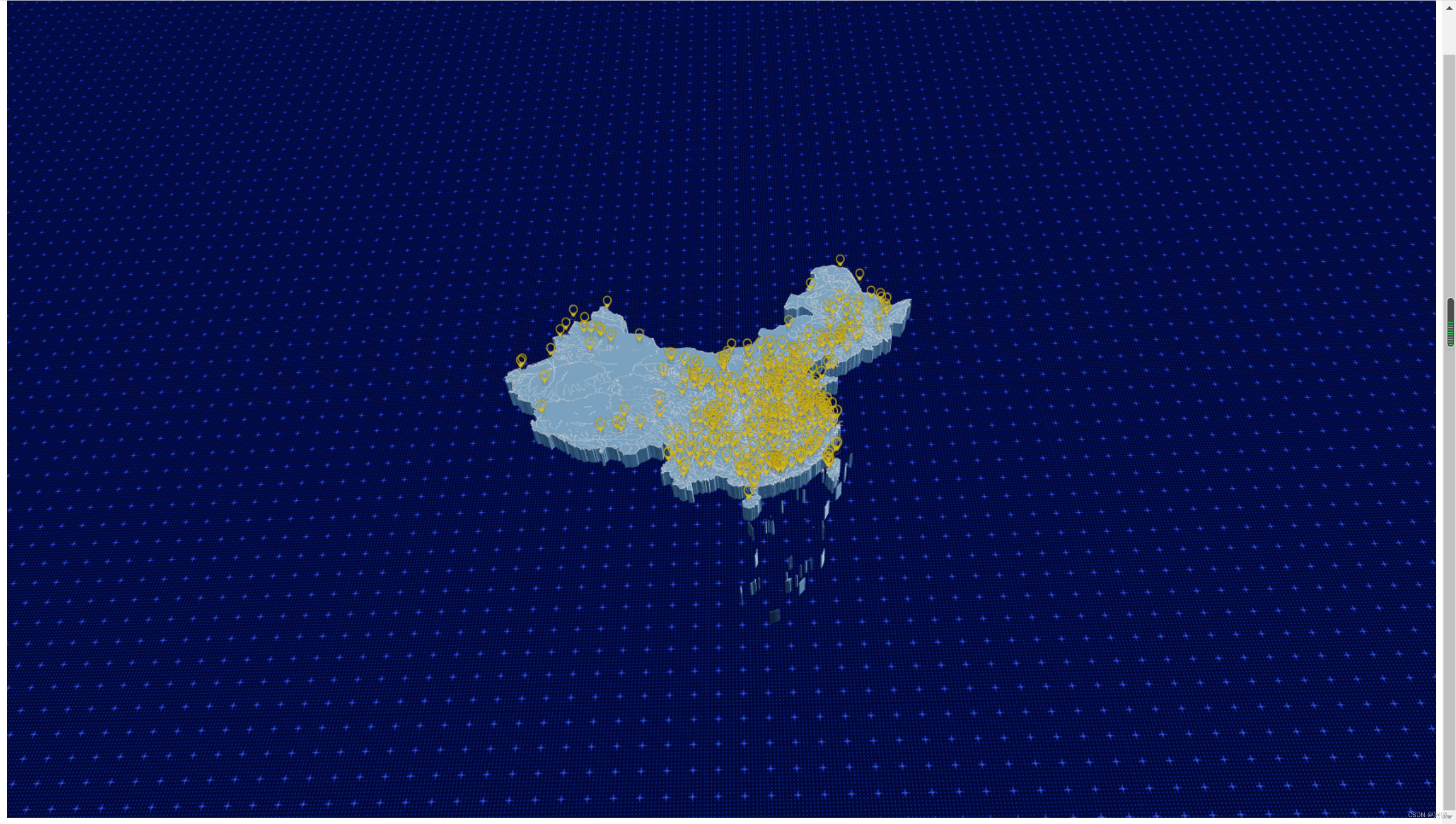
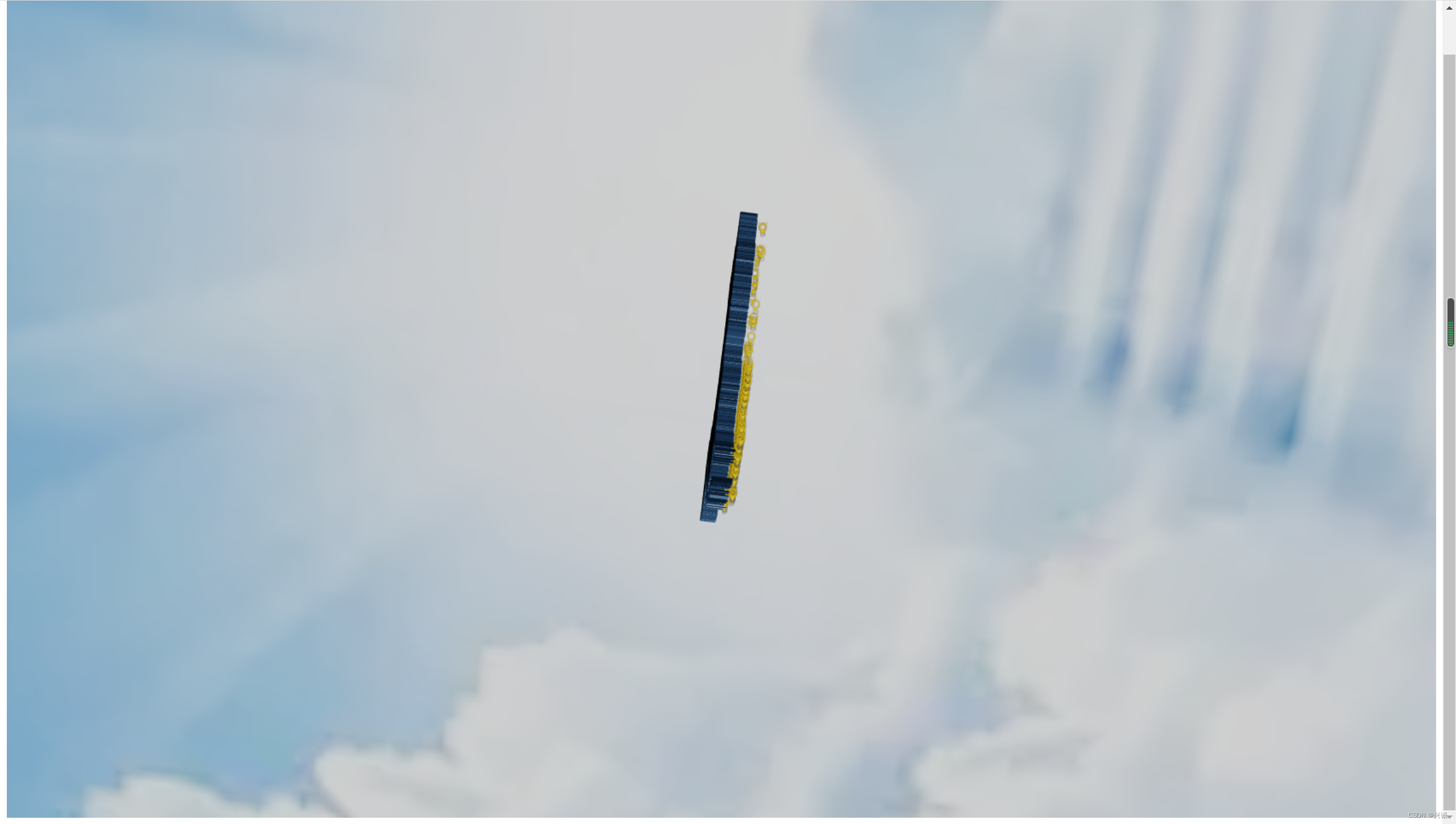
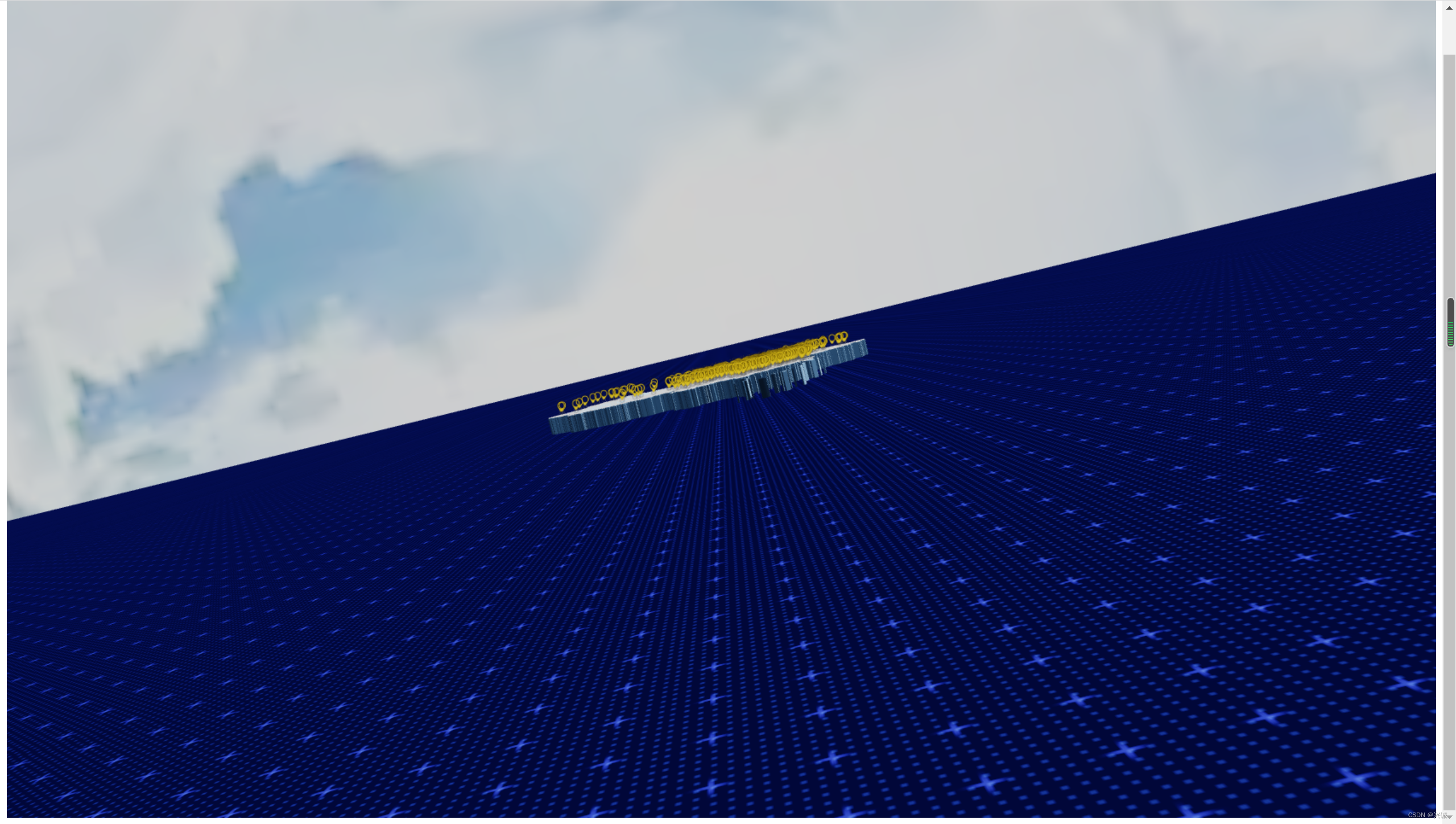
五、实现效果
六、实际应用效果